Laboratory instrument integration: approaches, trade-offs and where to start
A practical guide to LIMS instrument integration: file-based, serial, CDS and middleware, standards and APIs, plus data mapping, failures and data integrity.
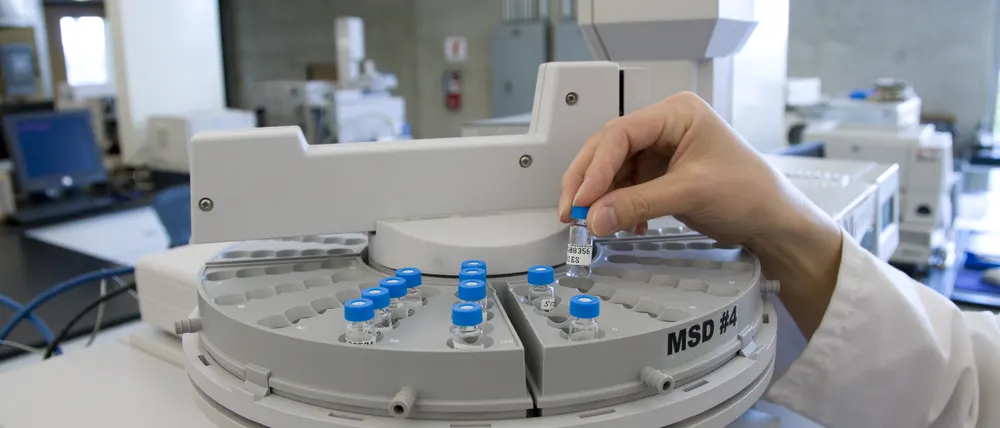
Most laboratories that talk about instrument integration are really talking about a narrower problem: people copying numbers from one screen or printout into another. A balance reading gets written on a worksheet, then typed into a spreadsheet, then entered into the LIMS, then checked by a reviewer who compares all three. Every handoff is a chance for a transposed digit, and every check costs reviewer time.
Integration fixes that, but there is no single way to do it. The right approach depends on the instrument, the software around it, the data volume and how much validation effort the lab can absorb. This article walks through the main options honestly, including where each one breaks down, and finishes with a practical plan for deciding what to connect first.
The real goal is less manual data entry
It is easy to frame integration as a technology project: connect everything, automate everything. In practice the value comes from removing specific manual steps that are slow, error-prone or heavily reviewed. A connection that eliminates double entry for a high-volume test is worth far more than one that pulls a rarely used value from an instrument nobody complains about.
For each candidate integration, ask what manual step disappears, who performs it today, how often, and what happens when it goes wrong. Three numbers a week with no review findings can wait. Twenty balance weights per batch, transcribed by hand and second-person verified, is where to start.
It also helps to remember that a structured electronic worksheet can remove much of the transcription risk even before an instrument is connected. Guided entry with built-in limits and calculations, as found in a laboratory execution system, often pairs naturally with instrument capture.
The integration spectrum
Instrument and system integrations range from simple file pickup to standards-based device control. Most labs end up using several approaches at once.
File-based integration
Many instruments, and nearly all instrument software, can export results to a file: CSV, XML, a fixed-width text report or a PDF. The integration watches a network folder, picks up new files, parses them and writes the results to the LIMS against the right sample and test. A worklist file can often go the other way, so the instrument run is built from LIMS sample IDs instead of retyped ones.
File-based integration is popular because it is cheap to start and does not depend on the instrument vendor offering an API. Its weaknesses are fragility and ambiguity. Export formats change with software updates, operators rename files, partial files get picked up mid-write, and PDF parsing is unreliable unless the layout is completely stable. A well-built file interface handles these cases explicitly: it waits for files to finish writing, archives originals, rejects files it cannot fully parse and never silently skips rows.
Serial and network-connected simple instruments
Balances, pH meters, conductivity meters and titrators often have an RS-232 serial port, USB or an Ethernet connection that outputs a reading on demand or when the operator presses a print key. Capturing that output directly into an electronic worksheet or LIMS entry screen removes the most common transcription error in many labs: the hand-written weight.
The details matter. The capture should record the instrument identifier, the stability flag if the device provides one, the unit, and the timestamp, and it should reject readings from an instrument that is out of calibration or overdue for its check. Serial connections often need a small local agent or a serial-to-network adapter, and that piece needs to be managed like any other part of the system.
Instrument data systems and middleware
For complex instruments, the instrument itself is rarely the right integration point. A chromatography data system (CDS) already controls the HPLCs and GCs, holds the raw data, applies processing methods, records manual integration events and keeps its own audit trail. The CDS is the source of truth for that data. The LIMS should receive reviewed, calculated results from the CDS, not raw signals from individual instruments.
The same logic applies to other instrument data systems and to middleware that sits between many instruments and the LIMS. Middleware reduces point-to-point interfaces but is one more system to configure, validate and maintain, so it pays off mainly in labs with many instruments of different types.
Vendor-neutral standards
Several standards aim to reduce custom work, and it helps to know what each one actually covers:
- ASTM and LIS-style protocols. In clinical laboratories, analyzers have long exchanged orders and results with a laboratory information system using low-level and message protocols that originated as ASTM standards and are now maintained by CLSI, with HL7 commonly used between the LIS and other systems. They are well established in that setting but less common for typical QC or environmental instruments.
- SiLA 2. An open standard from the SiLA consortium for communication with laboratory devices and services, built on modern web protocols. It defines how a device describes its features and how software can call them, which is useful for automation and device control where vendors support it.
- The Allotrope framework. Developed by the Allotrope Foundation, it focuses on standardized formats and shared vocabularies for analytical data, so results and their context can be read consistently regardless of which vendor produced them.
Standards are worth using where supported, but support is uneven, and mapping and business logic are still needed on top.
APIs and messaging between systems
Not every integration involves an instrument. A LIMS often needs to exchange data with ERP, MES, a document management system, an electronic lab notebook or a customer portal. Typical LIMS ERP integration flows include the ERP sending inspection lots or production orders so samples are created automatically, and the LIMS returning results or batch disposition once testing is approved. These integrations usually run over REST or SOAP APIs, message queues, or scheduled file exchange, and the hard part is agreeing which system owns each piece of data.
Comparing the approaches
| Approach | Typical use | Strengths | Watch out for |
|---|---|---|---|
| File-based (watched folder) | Instruments or software with export files; worklists | Low entry cost; no vendor API needed; easy to inspect files | Format changes, partial files, renamed files, PDF parsing |
| Serial / network direct capture | Balances, pH meters, titrators | Removes hand-written readings at the source; simple data | Local agents or adapters to manage; device identity and calibration checks |
| Instrument data system (e.g., CDS) | Chromatography and other complex techniques | Raw data stays in one controlled system; fewer interfaces | Depends on the data system's export or API options; review must happen in the right place |
| Middleware | Many instruments of mixed types | Central configuration; fewer point-to-point links | Additional system to license, validate and support |
| Standards (SiLA 2, Allotrope, LIS protocols) | Automation, device control, standardized data | Less custom parsing where supported | Uneven vendor support; mapping still required |
| APIs and messaging | LIMS to ERP, MES, portals, other apps | Real-time or near-real-time; structured data | Ownership of data, versioning, retries and monitoring |
What to integrate first
A sensible first integration is high volume, transcription-prone and review-heavy. Those three factors tend to point at the same few places:
- Balances. Weights feed into almost every calculation, are transcribed constantly and are a common source of review findings.
- The CDS. Chromatographic assays and impurities often carry many results per sample, each with specifications. Re-entering them is slow and the review burden is high.
- Sample creation from upstream systems. If samples are logged by hand from ERP inspection lots or customer forms, automating sample login removes errors before testing even begins.
- Any instrument with a known error history. Deviation and review records usually show where transcription goes wrong.
Leave rarely used instruments and anything with an unstable export format for later.
Data mapping is where integrations succeed or fail
Moving a file is the easy part. Making sure each value lands on the right sample, test and result field is where most of the work goes.
Identifiers
The instrument needs to carry the LIMS sample ID, ideally through a barcode scan or a downloaded worklist rather than typed text. Decide how replicates, injections, standards, blanks and system suitability runs are identified, and what happens when an ID does not match any sample in the LIMS.
Test codes and analytes
Instrument methods rarely use the same names as LIMS analyses. A mapping table that links instrument method and peak or component names to LIMS test and analyte codes is part of the master data and needs version control, just like specifications.
Units, significant figures and rounding
An instrument may report in mg while the specification is in percent, or report six decimals while the reported result needs two significant figures. Define where conversion and rounding happen, and do it once. Rounding in both the instrument software and the LIMS is a classic source of results that are off by one in the last digit.
Limits and specifications
Specification checks and OOS flags should normally be evaluated in the LIMS against the current specification version, not inherited from the instrument. The instrument may apply its own system suitability criteria, which is fine, but the reported pass or fail against the product specification should come from one place.
Handling failures and reprocessing
Every integration fails sometimes: files arrive with unknown sample IDs, the network drops mid-transfer, a method is reprocessed in the CDS after results were sent. What matters is how these cases are handled.
- Nothing disappears silently. Unparseable files and unmatched results go to an exception queue that someone owns and reviews.
- Originals are kept. The received file or message is archived unchanged, so any result can be traced back to its source.
- Reprocessing is explicit. When data is reprocessed or re-sent, the LIMS should record a new version of the result with a reason, not overwrite the old one without trace.
- Duplicates are detected. Picking up the same file twice should not create duplicate results.
- Someone is told. Monitoring and alerts matter more than clever retry logic. A stalled interface that nobody notices for a week is worse than no interface at all.
Audit trail, data integrity and validation scope
Integration changes where data is created and how it moves, so it has to fit the lab's data integrity approach. Regulations and guidance such as 21 CFR Part 11 and EU GMP Annex 11 expect electronic records to be attributable, protected from unauthorized change and supported by audit trails; ISO/IEC 17025 and GLP have their own expectations for record control and traceability. Software can support these requirements, but compliance depends on the lab's procedures, validation and quality system.
A few practical points:
- Know where the raw data lives. For a CDS integration, the raw data and processing history stay in the CDS. The LIMS holds the reported result plus a reference back to the source. Do not let the integration blur which system is authoritative.
- Record who and when. The audit trail should show which interface created a result, from which source file or message, when, and which user ran or reviewed the underlying analysis.
- Keep review meaningful. Integration does not remove the need for review, but it changes what reviewers look at. Instead of checking transcription, they can focus on exceptions, manual integrations, reprocessing and results near limits.
- Scope validation by risk. Testing typically covers mapping, calculations, rounding, unit conversion, error handling, duplicates and audit trail entries. Configuration such as mapping tables should be under change control so that adding a new analyte does not quietly change validated behavior.
A step-by-step plan
- Inventory the manual steps. List instruments and systems, and for each, the manual data handling around it: who, how often, how many values, and what review is done.
- Rank by value and risk. Prioritize high-volume, transcription-prone, review-heavy steps. Note known error history.
- Pick the integration point. Decide whether to connect the instrument, its data system or middleware, and confirm what export or API options actually exist in the installed software version.
- Define the data contract. Document identifiers, test and analyte mapping, units, rounding, specification handling and the meaning of each field.
- Design for failure. Specify the exception queue, archiving, reprocessing behavior, duplicate detection and alerts before writing code.
- Build one integration end to end. Start with a single instrument or system and run it in parallel with the manual process long enough to compare results.
- Validate proportionately. Test according to the lab's risk assessment, and put mapping tables and configuration under change control.
- Measure and expand. Confirm the manual step is actually gone and review effort has dropped, then apply the same pattern to the next candidate.
Very often the integration is built around an existing LIMS rather than replacing it, which is usually faster and less disruptive. If you are weighing that choice more broadly, see whether to extend or replace a LIMS.
Where SpectraLIMS fits
SpectraLIMS builds focused laboratory integrations and LIMS extensions: file and instrument capture, CDS result transfer, and API connections between LIMS, ERP and other lab applications. We prefer to start small, with one well-defined integration that removes a real manual step, and build from there. If you have an integration on your list that keeps getting postponed, get in touch and we can talk through the options.
Frequently asked questions
What is LIMS instrument integration?
It is the automated transfer of data between laboratory instruments (or the software that controls them) and the LIMS. Typically the LIMS sends a worklist of samples and tests, and the instrument or its data system returns results that are matched to the right sample and test without anyone retyping them.
Should a LIMS integrate with each HPLC directly or with the chromatography data system?
In most labs the chromatography data system is the better integration point. It already holds the raw data, processing methods, integration events and its own audit trail, so the LIMS should receive the reviewed, calculated results from the CDS rather than trying to talk to each instrument. That keeps raw data in one controlled place and reduces the number of interfaces to maintain.
Does instrument integration need to be validated?
In regulated environments such as GMP or GLP, an interface that moves or transforms result data is normally part of the validated system, and its scope should follow the lab's risk assessment. Testing usually focuses on correct mapping, calculations, rounding, error handling and audit trail behavior. The software supports compliance, but the validation approach and acceptance criteria belong to the lab's quality system.
How do LIMS and ERP systems usually exchange data?
Common patterns are the ERP sending inspection lots or production orders to the LIMS so samples can be created automatically, and the LIMS returning usage decisions, batch dispositions or results once testing is approved. This is usually done through APIs, message queues or scheduled file exchange, with clear rules about which system owns each piece of data.